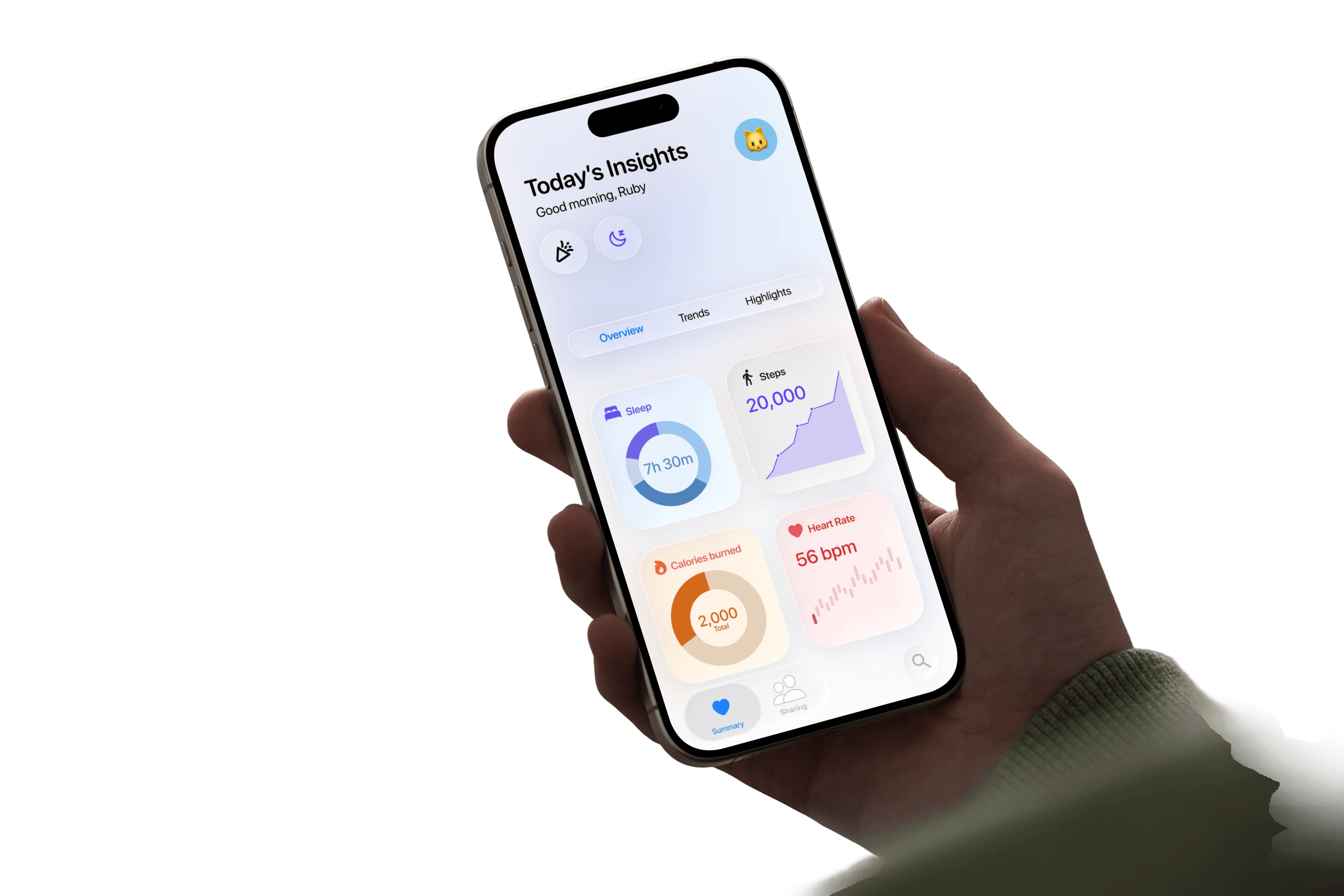
Problem
Opening Apple Health for the first time, I got stuck. I didn’t know where to begin or what to look for.
Reframe
I assumed the problem was information architecture. Users told me it was engagement: next to Garmin and Oura, Apple Health felt surface-level.
Outcome
A direction that combines storytelling visuals, deep-dive analysis, haptic feedback and a light game system for motivation.
02 Starting point
I came in as a first-time user.
I don’t use Apple Health myself. The app felt dense from the moment I opened it: one hub of summaries, pinned items, trends and highlights; an endless “All Health Data” list; and long text explanations linking out to articles.
Today’s app · A centralized hub
Everything competes on one screen.
Summary, Pinned, Trends and Highlights all fight for attention on the home tab.
Today’s app · All Health Data
Sorted by date, not by what matters.
Today, Past 7 Days, Past 12 Months and Older: an endless list with no starting point.
Today’s app · Text and articles
It reads like documentation.
Long explanations and links out to articles, instead of insight.
03 Research
Users didn’t talk about navigation at all.
I spoke with four people who use Apple Health alongside other health apps. They talked about depth and engagement instead.
What users said · 01
Other apps go deeper.
Garmin and Oura felt like they had more potential, with more interesting stats and deeper analysis.
What users said · 02
Recommendations get in the way.
Prompts to download other apps and read articles were distractions they rarely tapped.
What users said · 03
Engagement brings them back.
Haptics, visual storytelling and insights that connect to other stats keep them returning.
I assumed
“The app is hard to navigate.”
My first read, as a first-time user.
I learned
The data doesn’t mean anything to people yet.
Clarity comes from turning numbers into stories they care about.
04 Audit
What competitors get right, and where Apple Health hurts.
Severity 1
Cluttered layout. One view, no intuitive filtering, so specific metrics are hard to isolate.
Severity 2
Shallow engagement. Information is delivered, but consumption stays passive.
Severity 3
Text-heavy. Reading is prioritized over visuals that would make data easier to digest.
Severity 4
Unclear navigation. No starting point means too much data at once.
05 Directions
Three ways to make the data feel alive.
Pop-ups, badges and a light reward system on the home page. Progress you can feel.
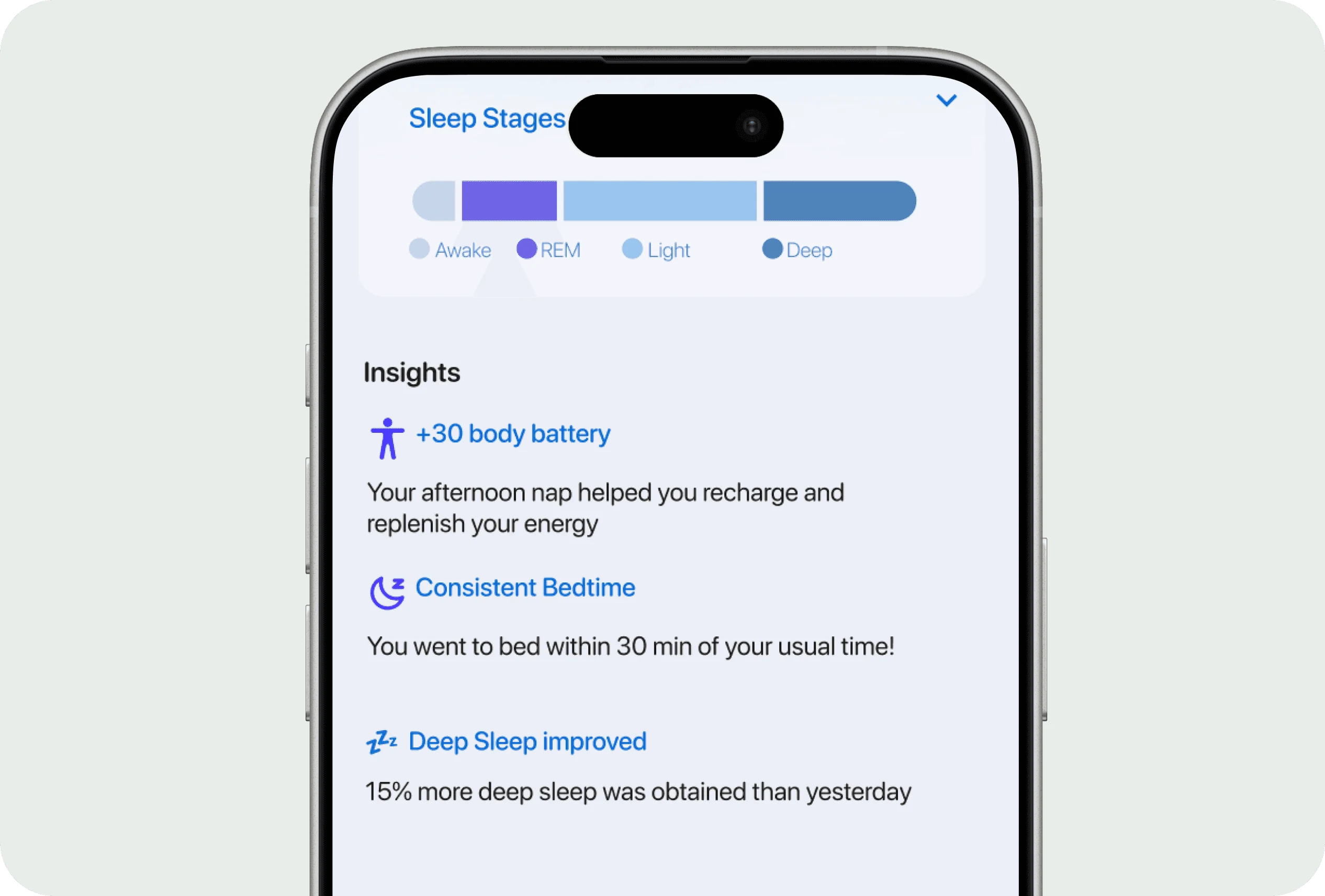
Daily insights in a supportive voice, with a streamlined overview that motivates instead of lectures.
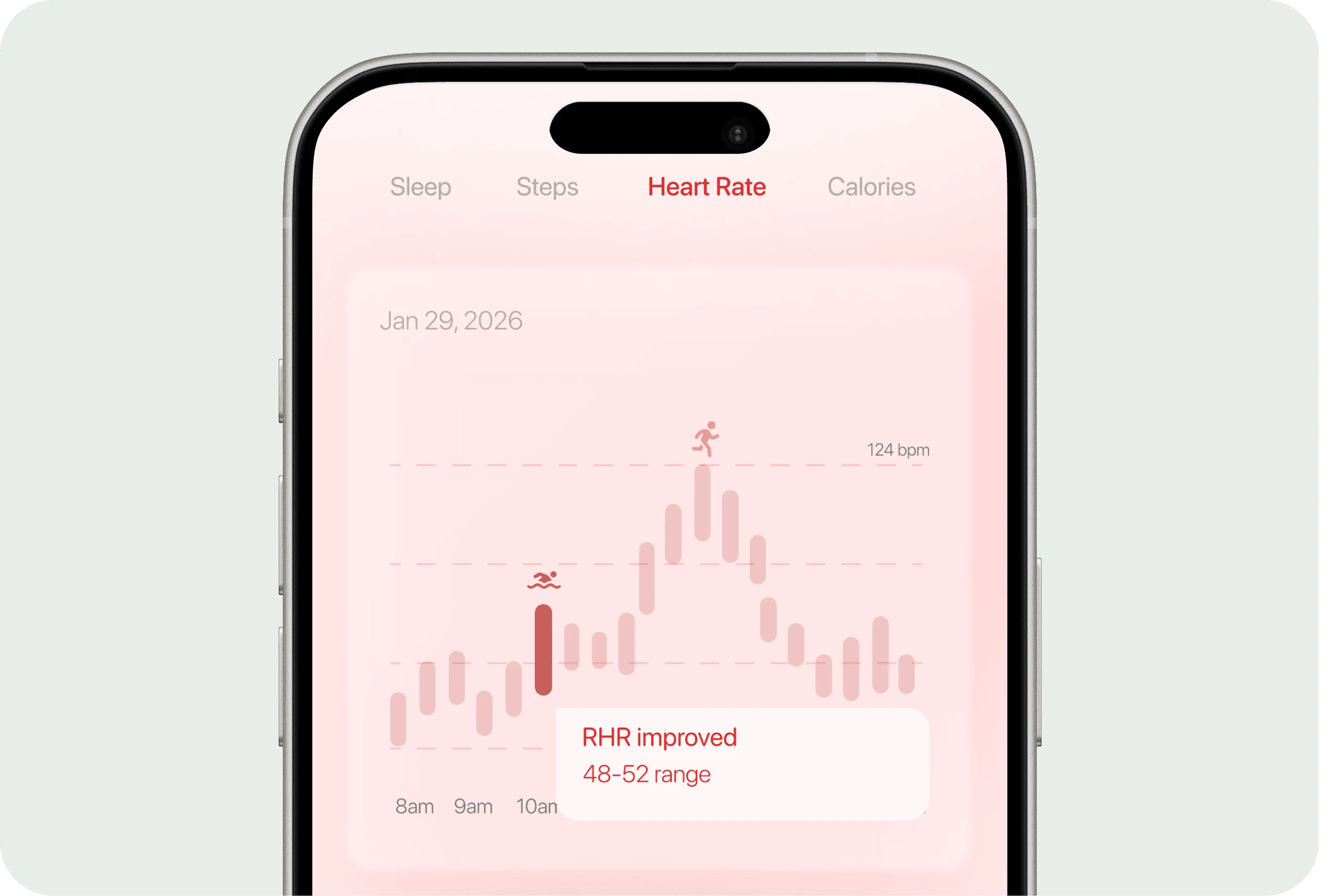
Correlations that show how activity improves health, plus a daily summary of performance.
06 Final design
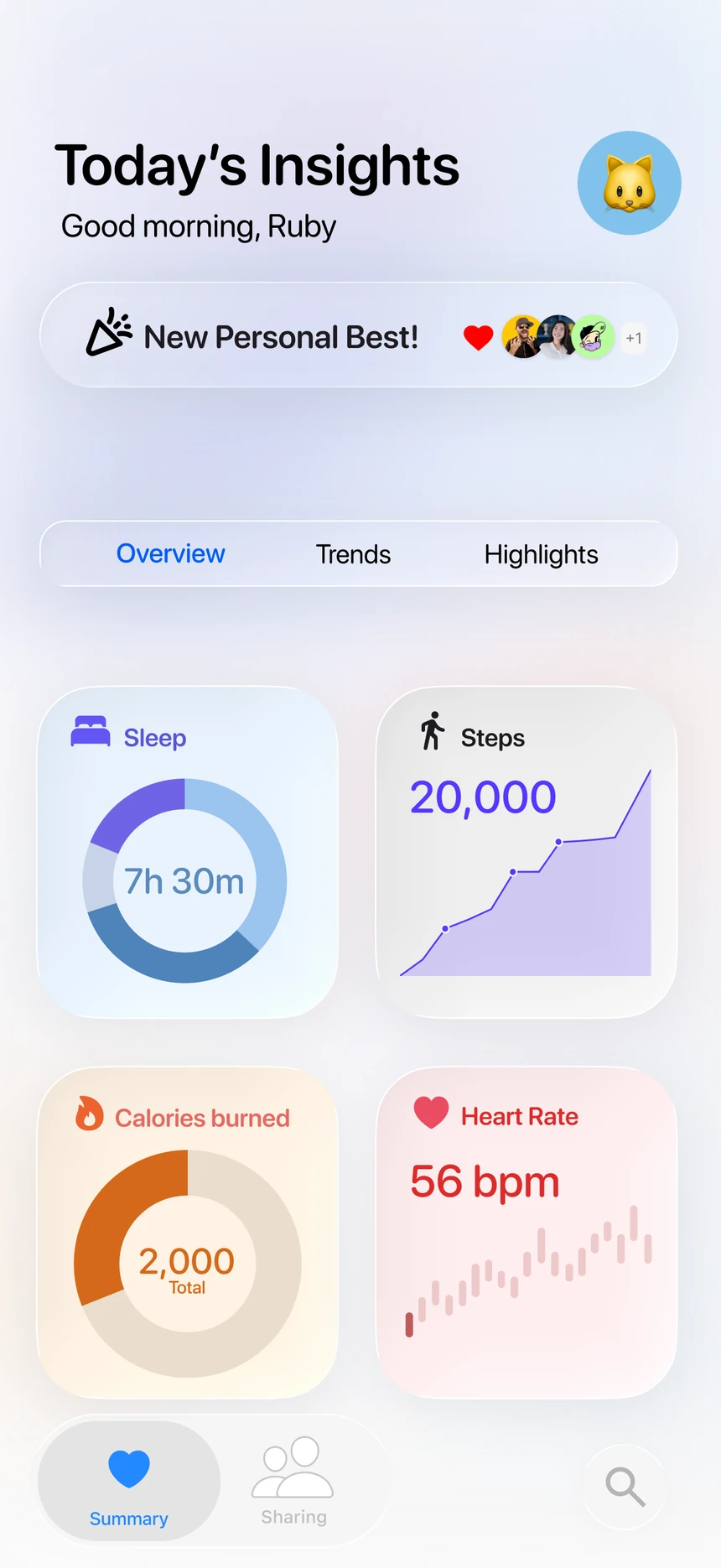
Today’s Insights: a starting point, every morning.
The final direction blends all three: an Overview / Trends / Highlights home that opens with a story, deep-dive charts that explain why, and small celebratory moments with haptic feedback.
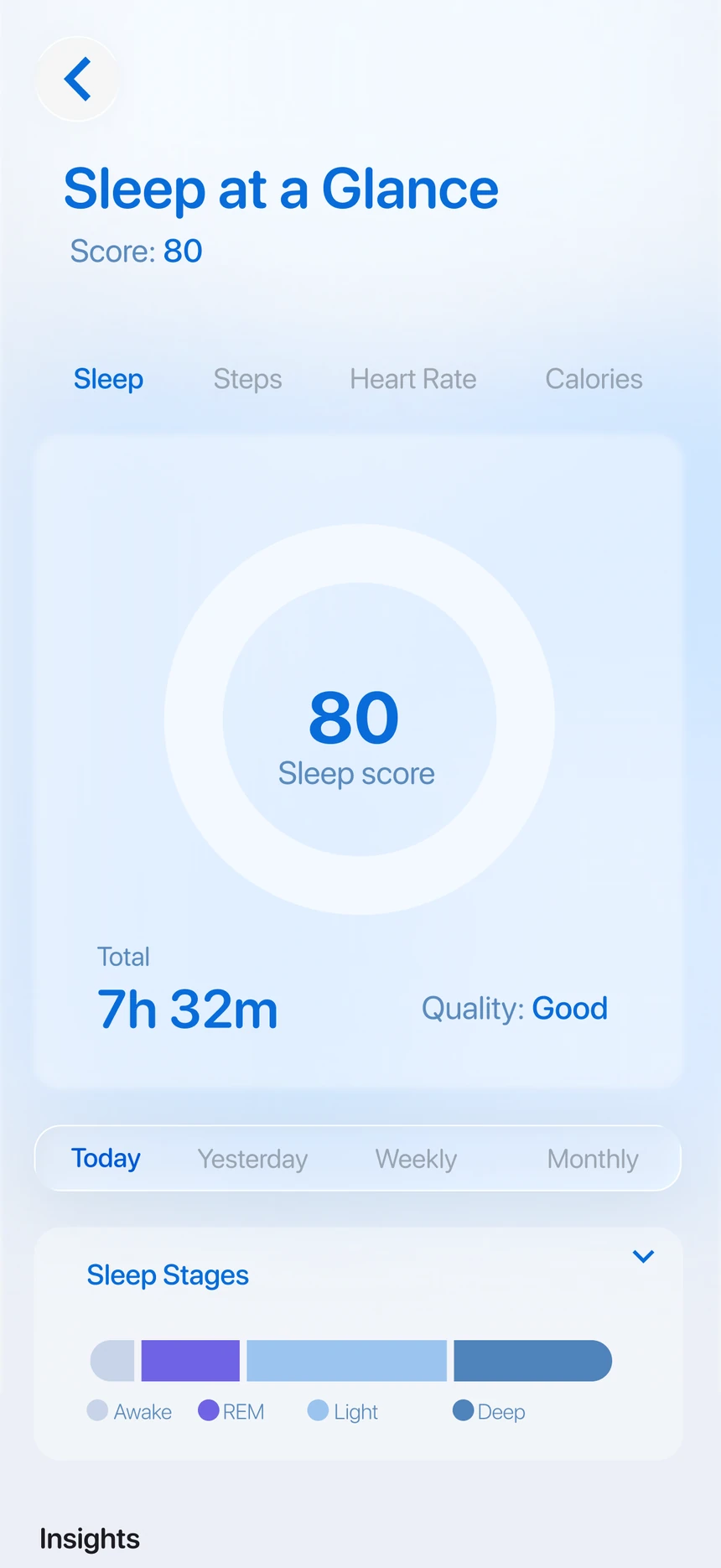
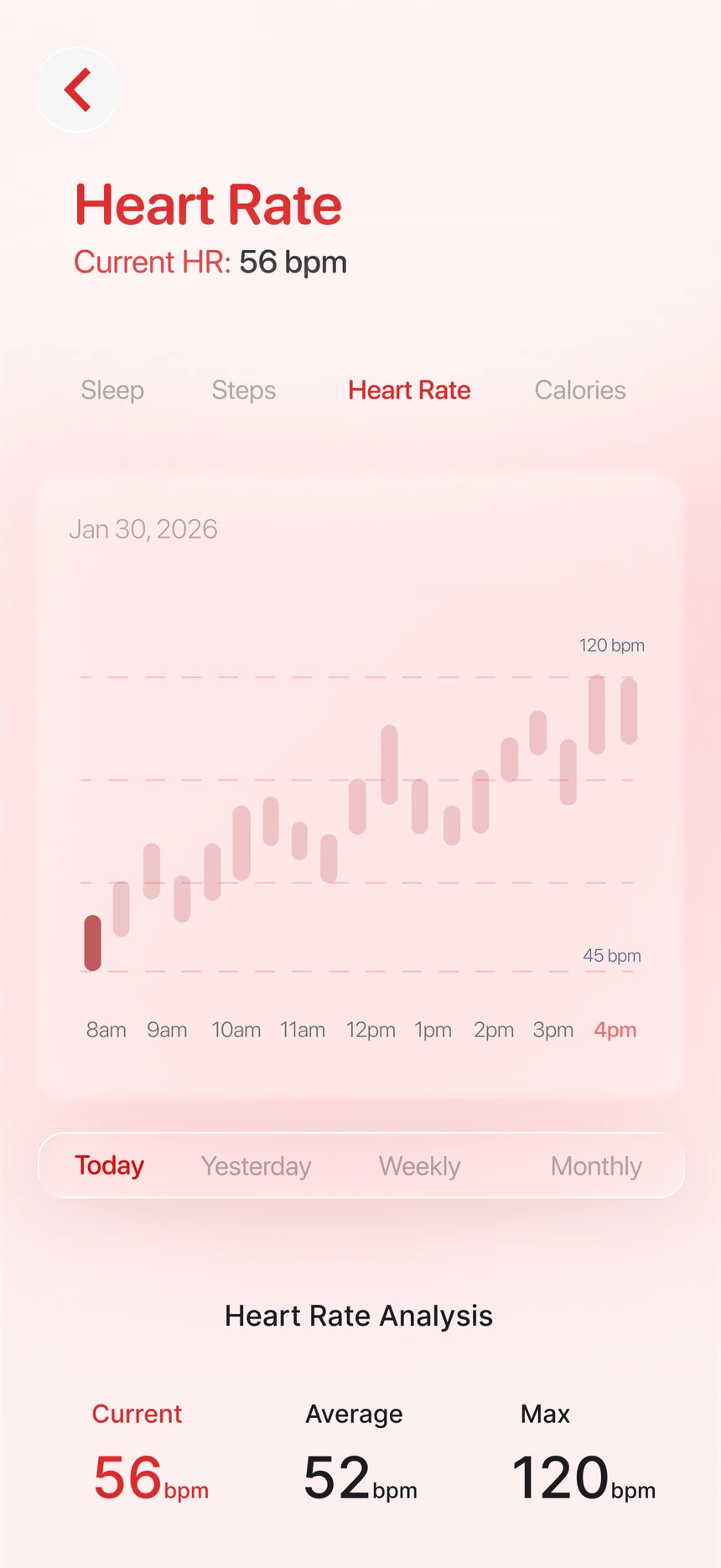
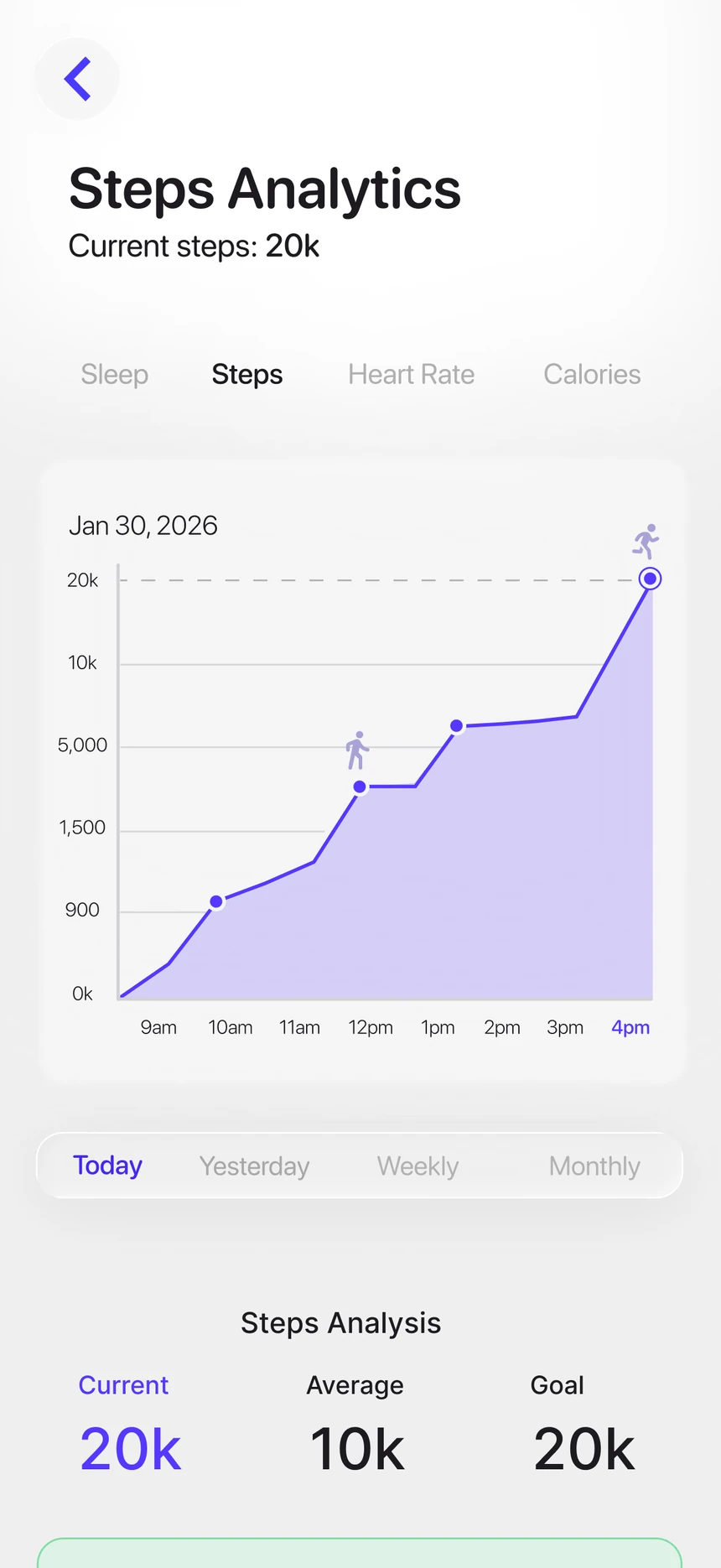
Try it · press and hold the heart (haptics on phones)
--BPM · resting
Press and hold the heart to feel your resting rhythm. Let go and it rests.