Discord notifications · Mar – Jun 2025
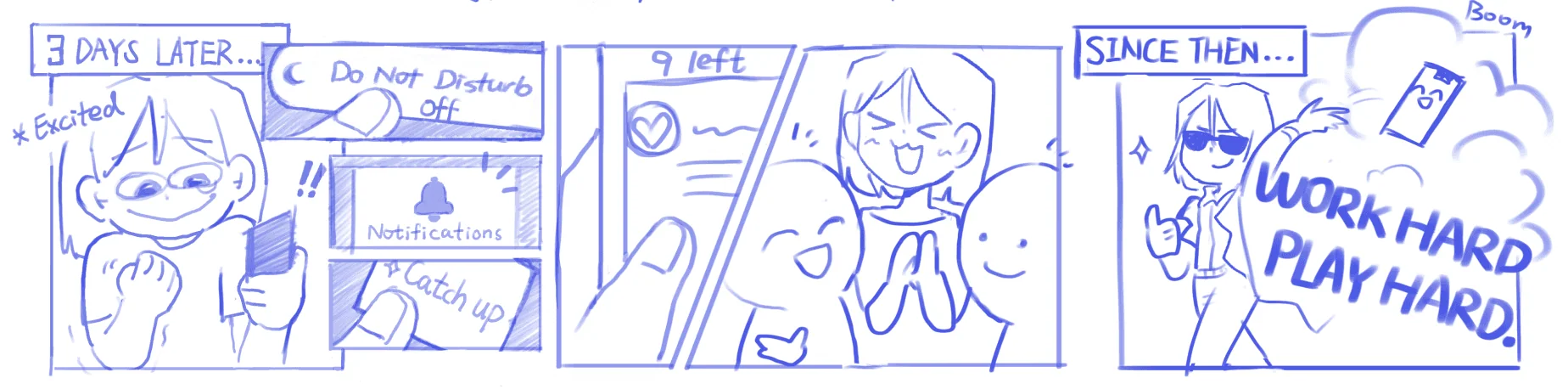
Work hard.
Play hard.
An interest-based inbox that makes catching up after “Do Not Disturb” feel effortless.
Problem
Coming back to an active server means a flood of unfiltered messages. Members stay glued to Discord or give up on notifications entirely.
Reframe
Discord isn’t just for gamers anymore. Its structure is built for tech-savvy users, so we designed for busy, less-confident community members.
Outcome
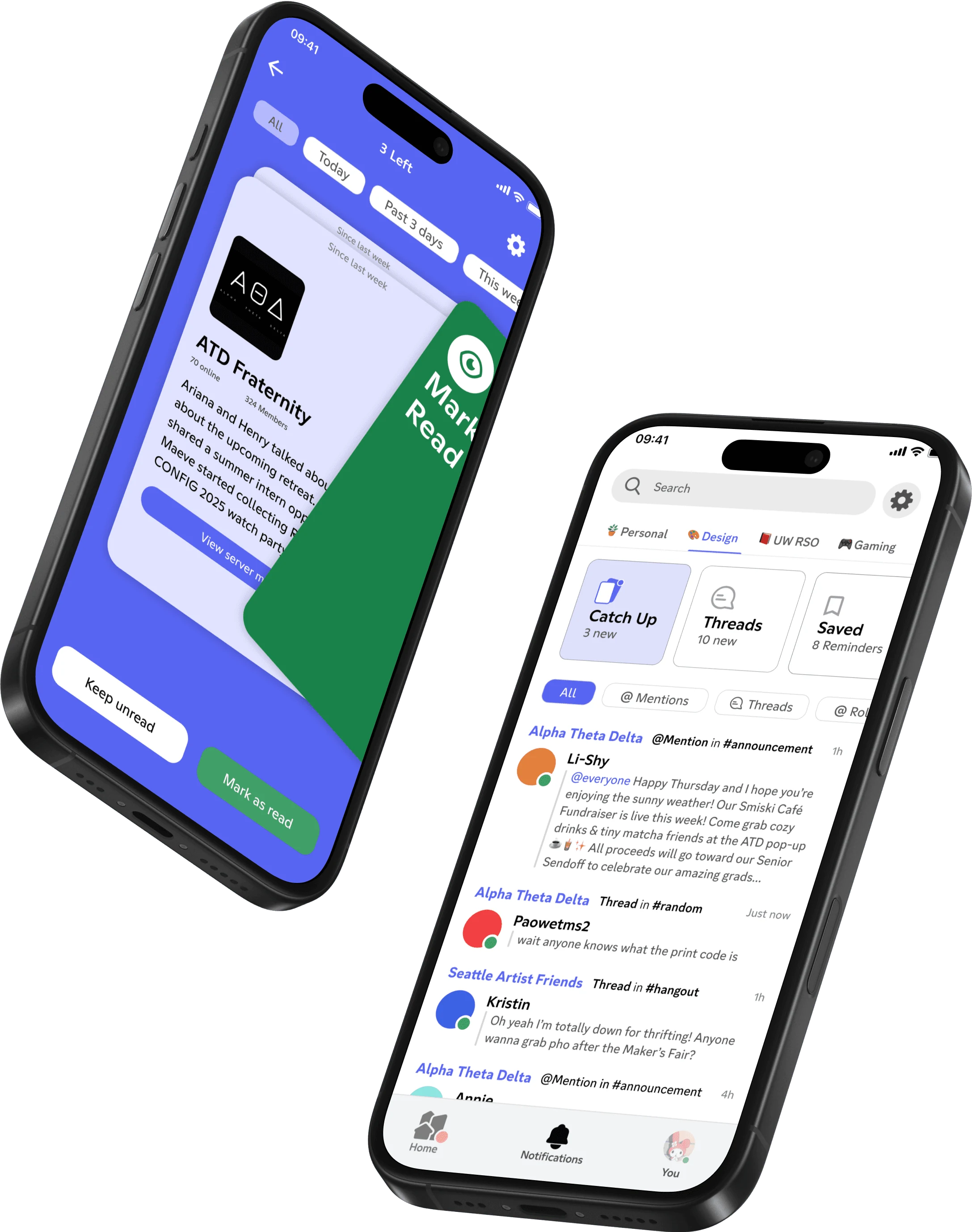
A repurposed inbox organized by user-made folders, swipeable catch-up cards, and Archive & Reminders for what matters.
02 Context
The modern “Do Not Disturb” dilemma.
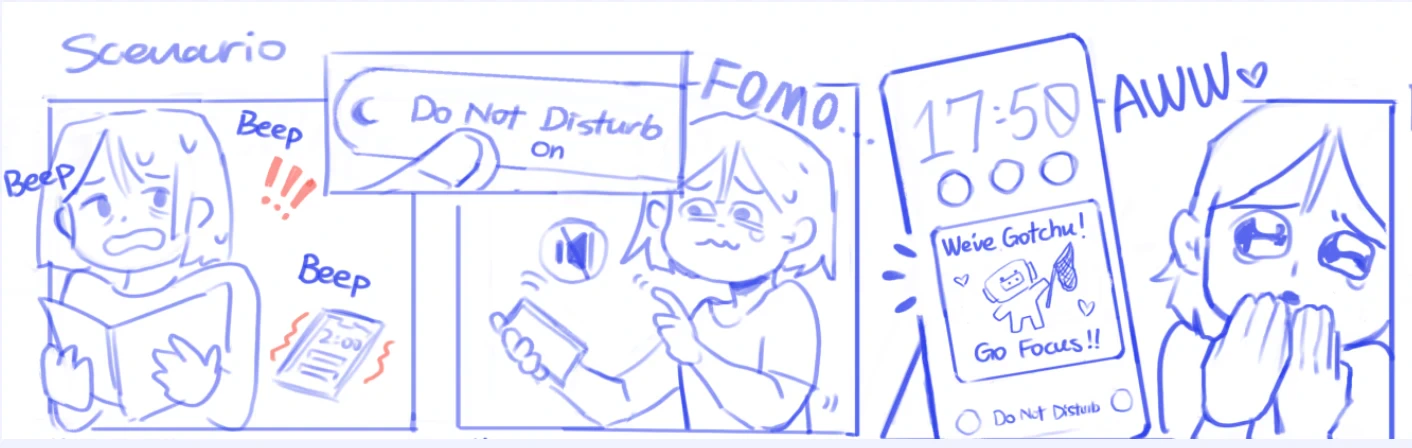
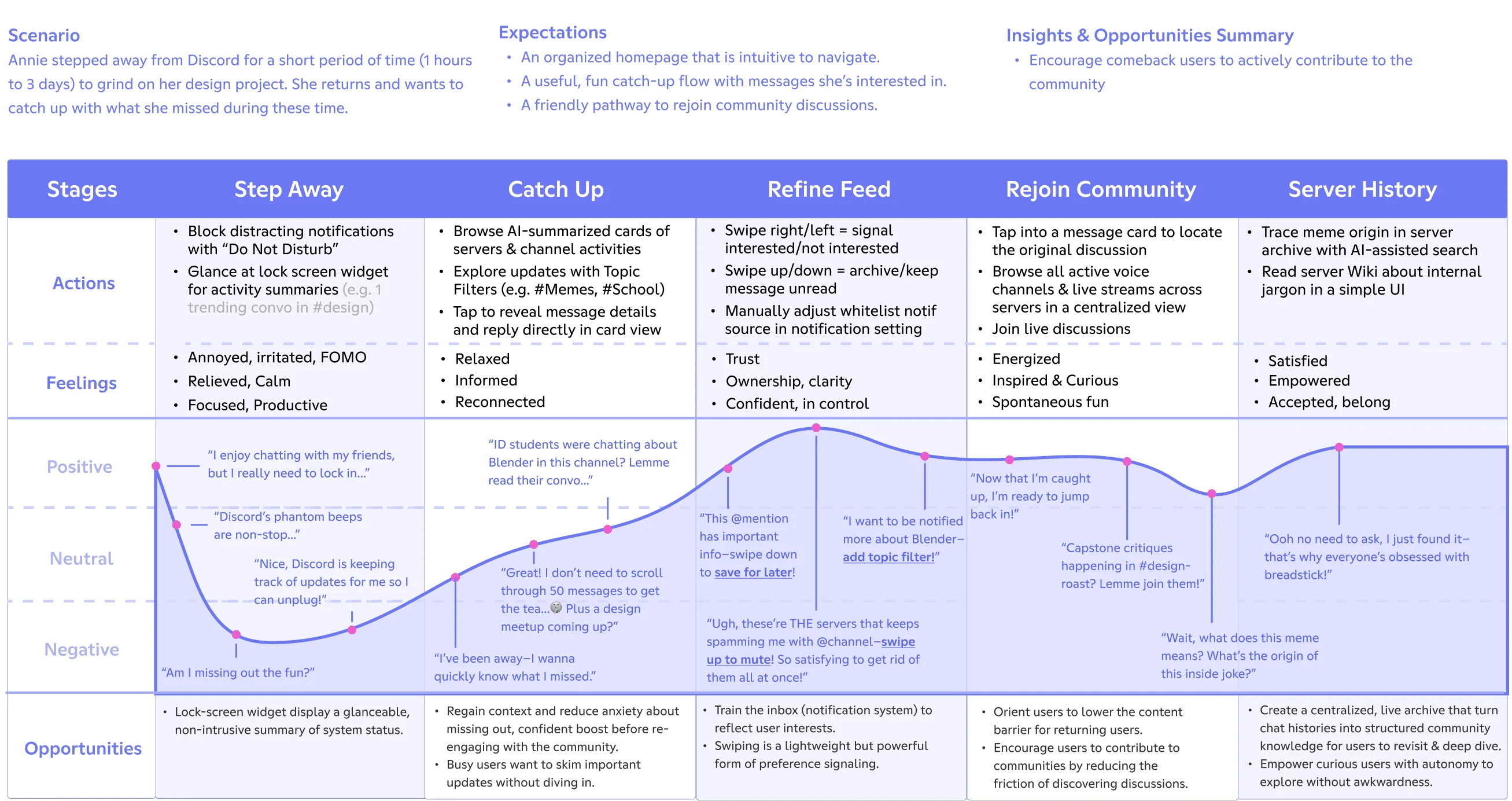
“Do Not Disturb” offers peace, at a cost: the slow erosion of belonging. Coming back, you face missed inside jokes, lost context, and the quiet FOMO of “am I missing out?”
Discord has grown far beyond gaming into clubs, classes and fan communities, but its mobile experience still assumes power users.
03 Research
“Trained to ignore notifications.”
We interviewed three executive board members of a UW design fraternity who run events, finances and recruiting on Discord, plus two Slack users and one power user in 60+ servers.
Pain point 1 · Social pressure & FOMO
After talking to ATD members, one main concern was FOMO. Ariana and Kristin don’t want to miss any hangouts while they’re away, so they leave notifications on, and over time find themselves always checking, or ignoring notifications completely.

Pain point 2 · Disorganized, unretrievable information
Key messages got buried under casual conversation, so people relied on memory, endless scrolling or other tools. Pinned messages were inconsistent, and important resources disappeared into the chat stream.


04 Competitive analysis
What Slack gets right about catching up.
Two of our participants also lived in Slack and kept comparing the two. Slack’s catch-up view became our clearest reference for what Discord’s notification tab could be, and where Discord needs something different.
- 01
One thing at a time
Each card holds a single channel’s update, so catching up never means scrolling a wall of messages.
- 02
Gestures from real life
Keep unread or mark as read, with a swipe or a tap. The card mimics real-world sorting, cutting extra UI and cognitive load.
- 03
Visible progress, with a safety net
“5 Left” shows how close you are to done, and Undo makes every decision reversible.
- 04
Where it stops working for Discord
Slack is built around one workspace. Discord members juggle many servers, sometimes 60+, so we made each server, grouped by the user’s own folders, the unit of a card.
05 Opportunity
How might we give non-technical users more control over notifications, so catching up on community updates feels effortless?
06 Process
Repurpose what’s already there.
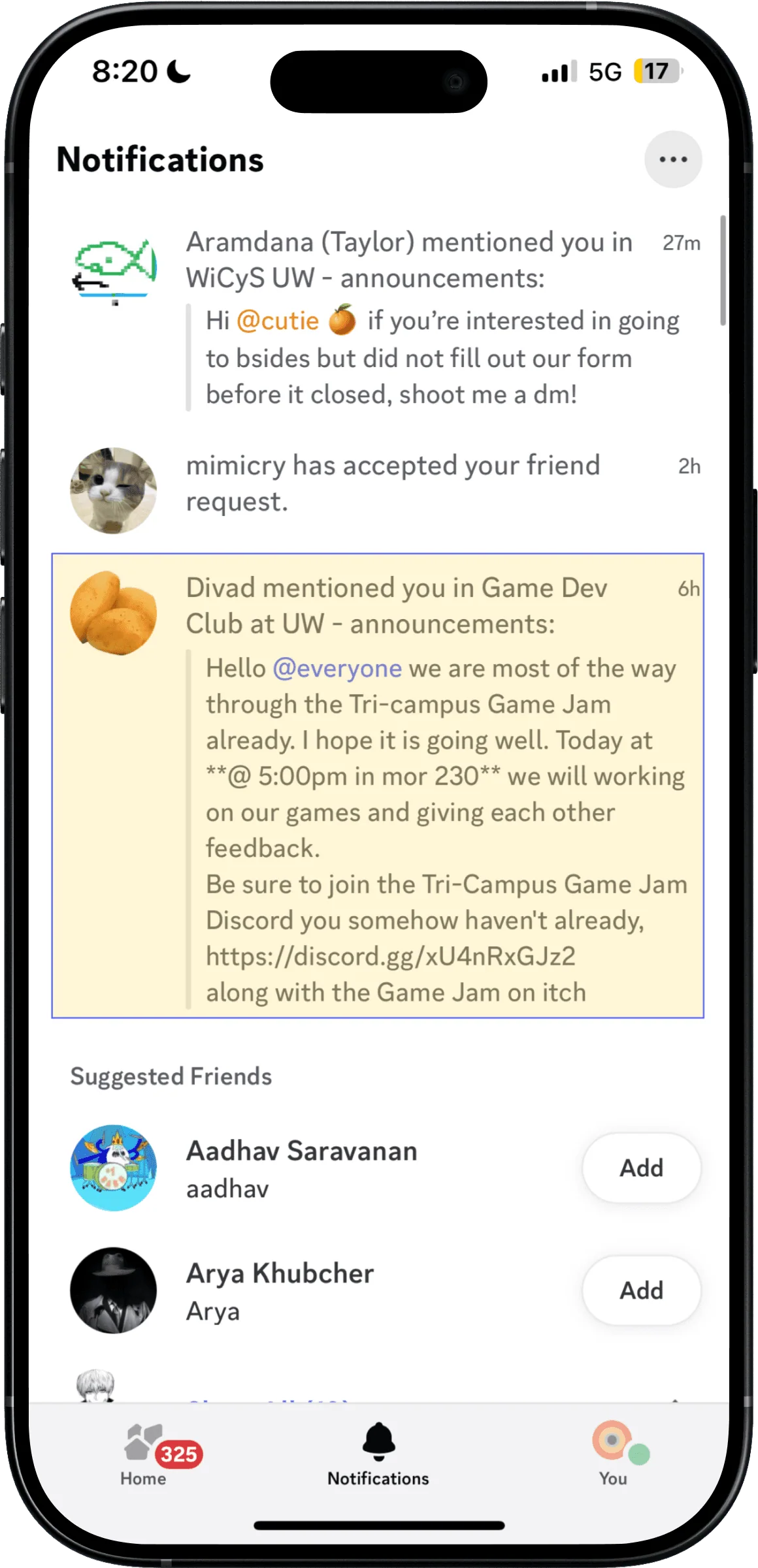
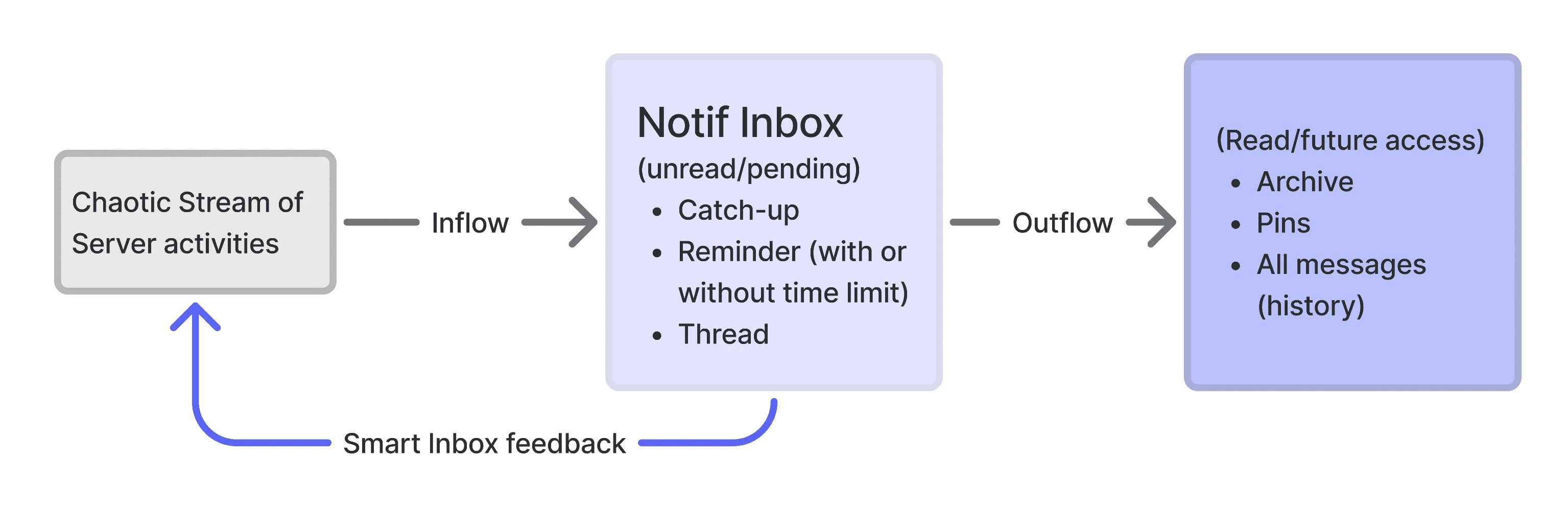
Discord already has a notification tab, but 4 of 5 people we tested had never used it: the layout was confusing, friend requests cluttered it, and the filters didn’t help. Instead of adding a new surface, we rebuilt this one.
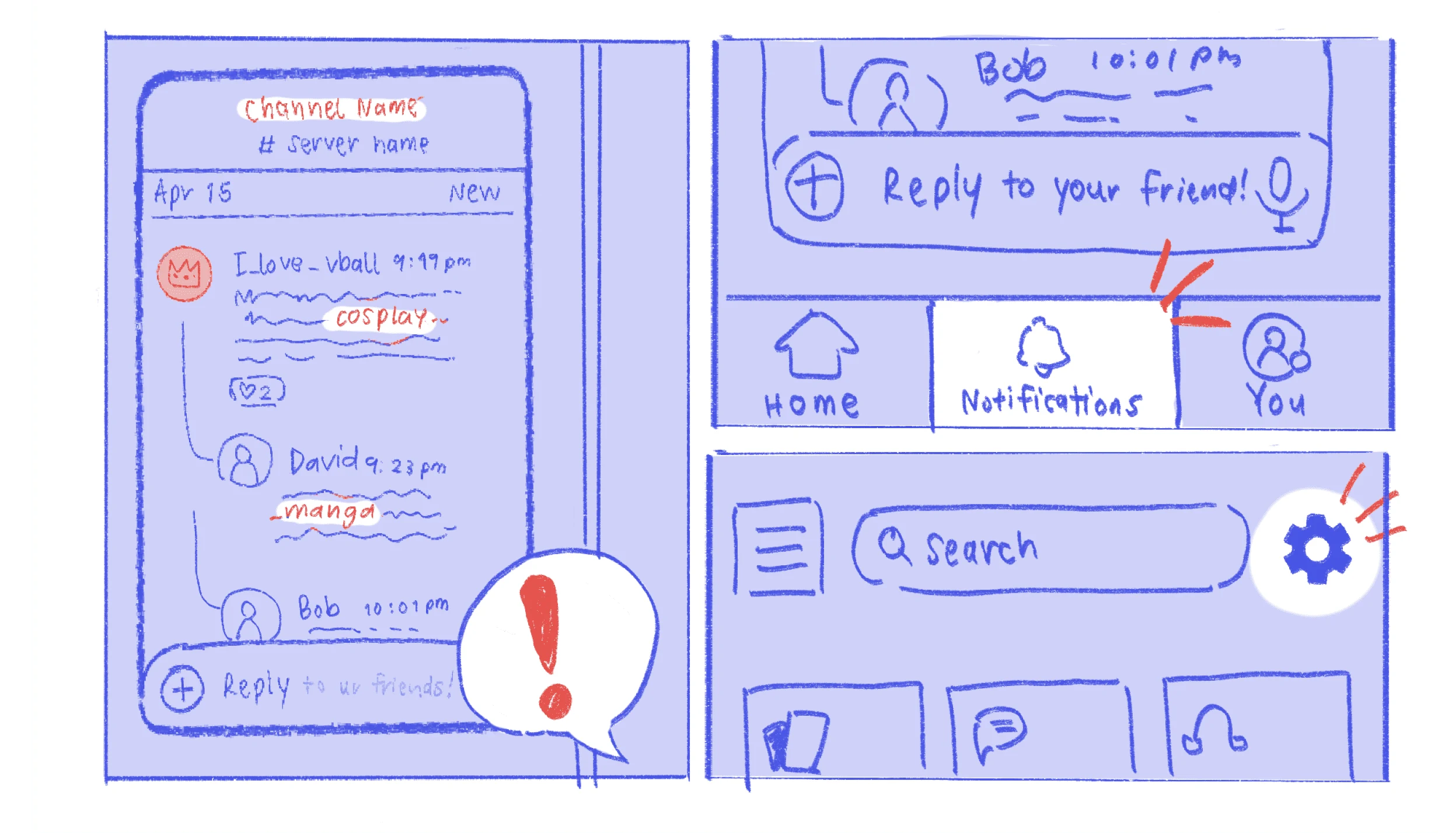
Borrowing Slack’s one-card-at-a-time catch-up, we sketched how it could work across Discord’s many servers.
07 Final design
Three flows, one calmer inbox.
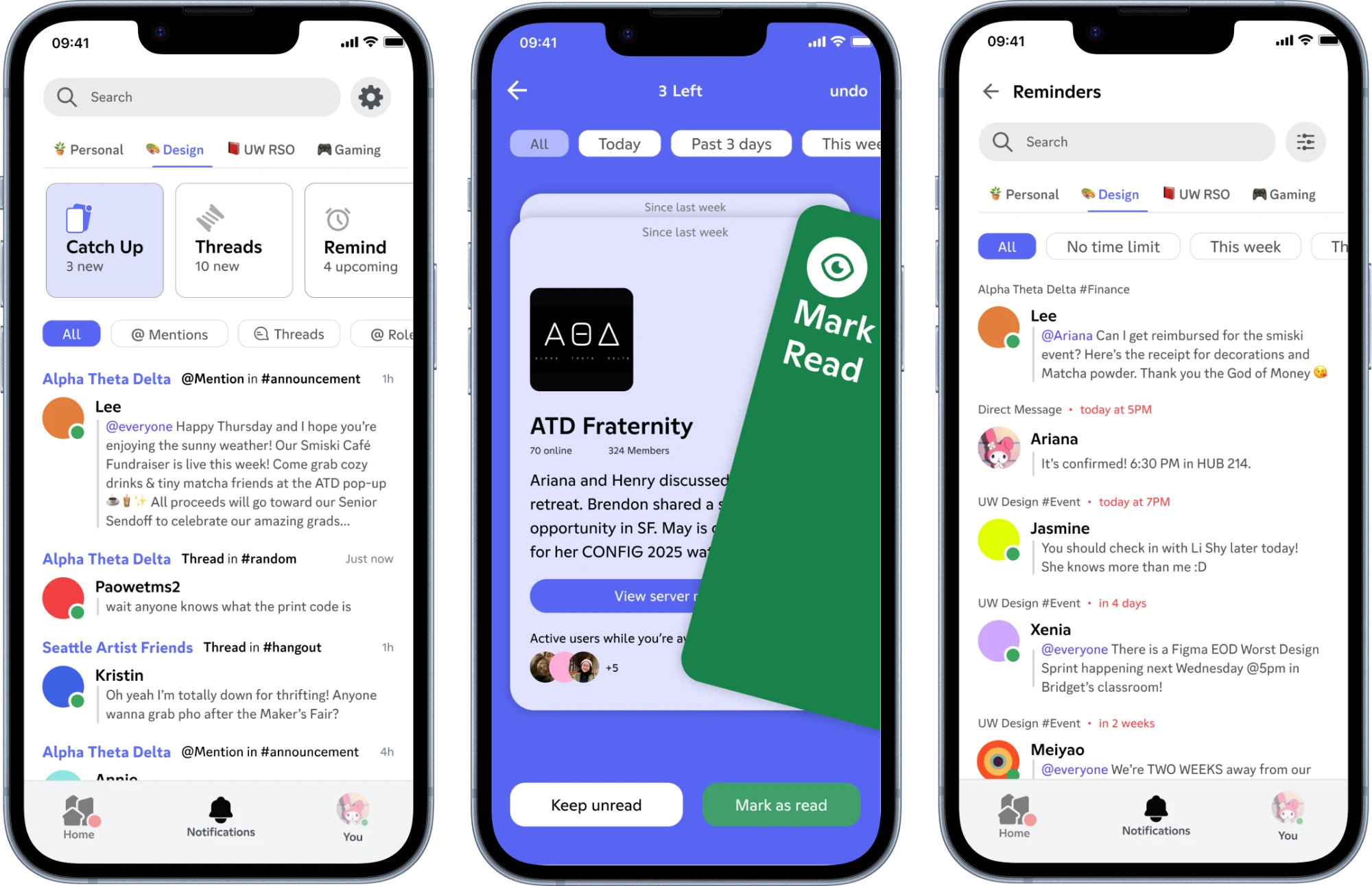
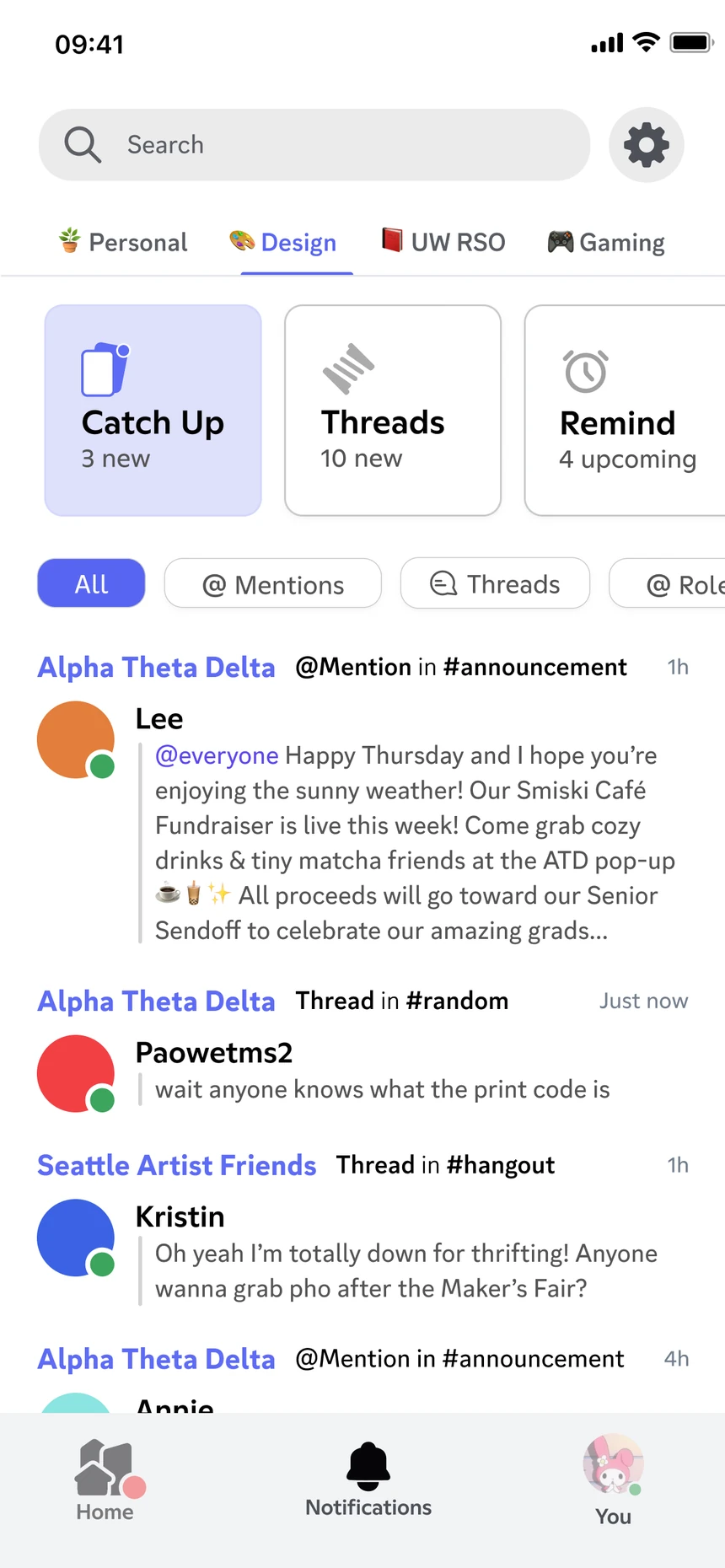
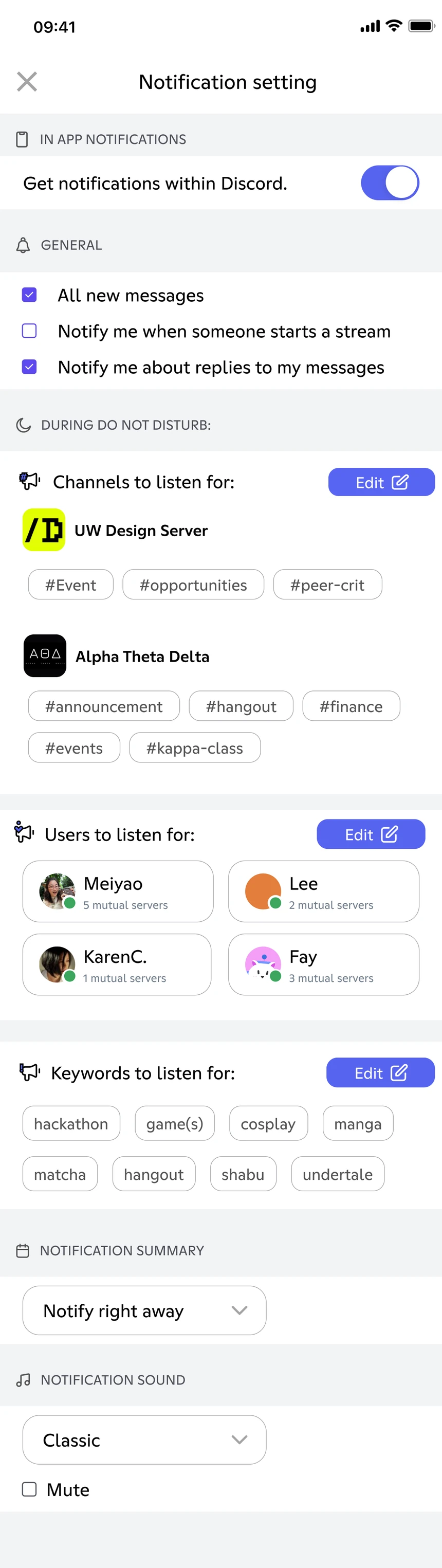
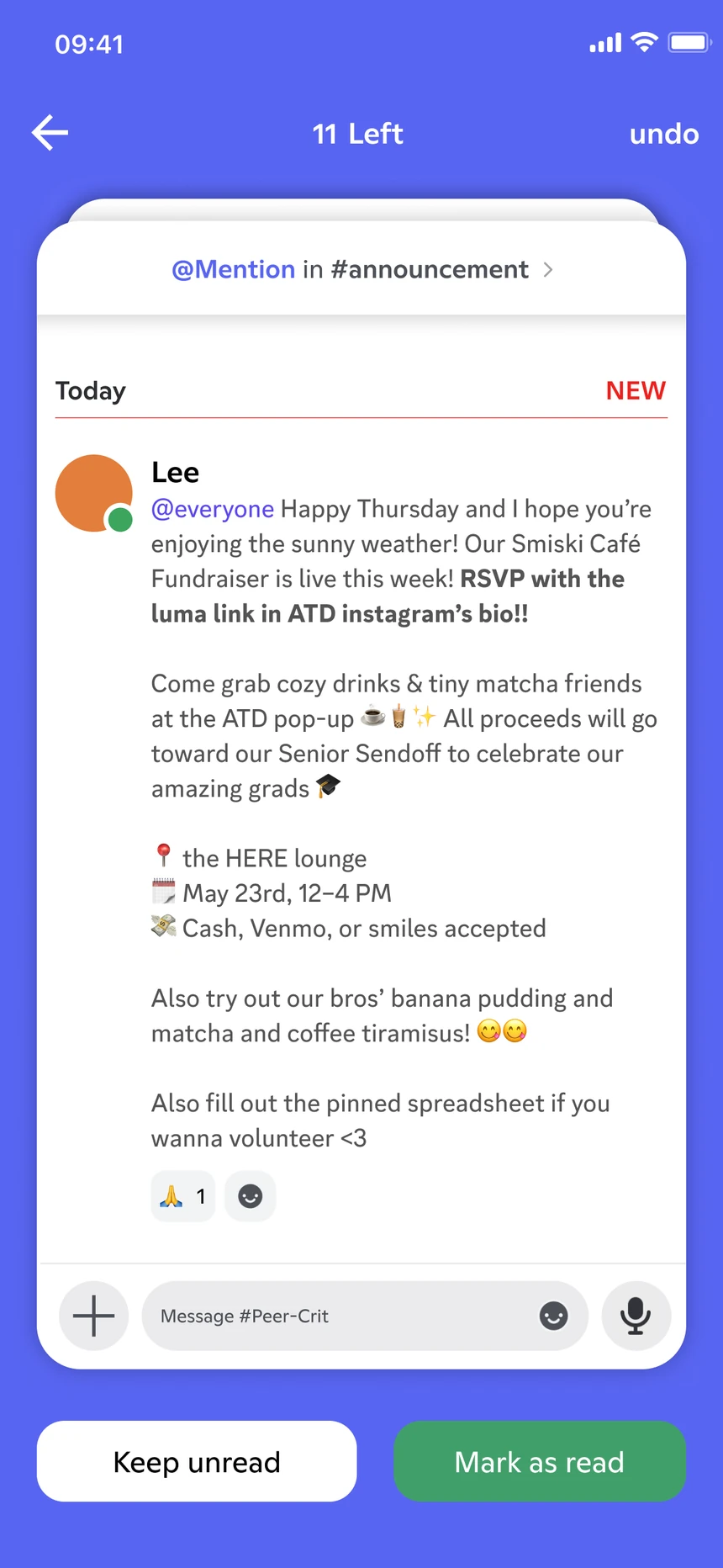
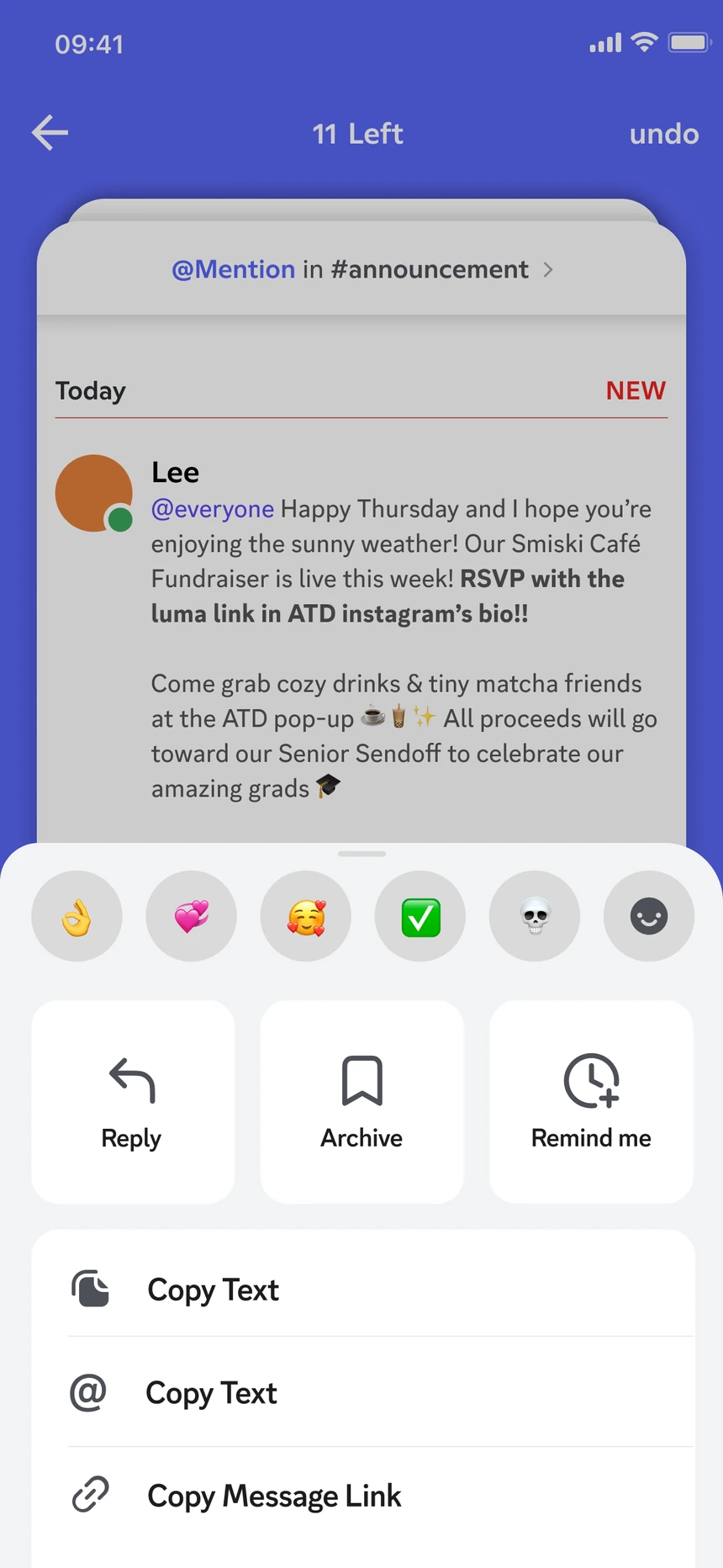
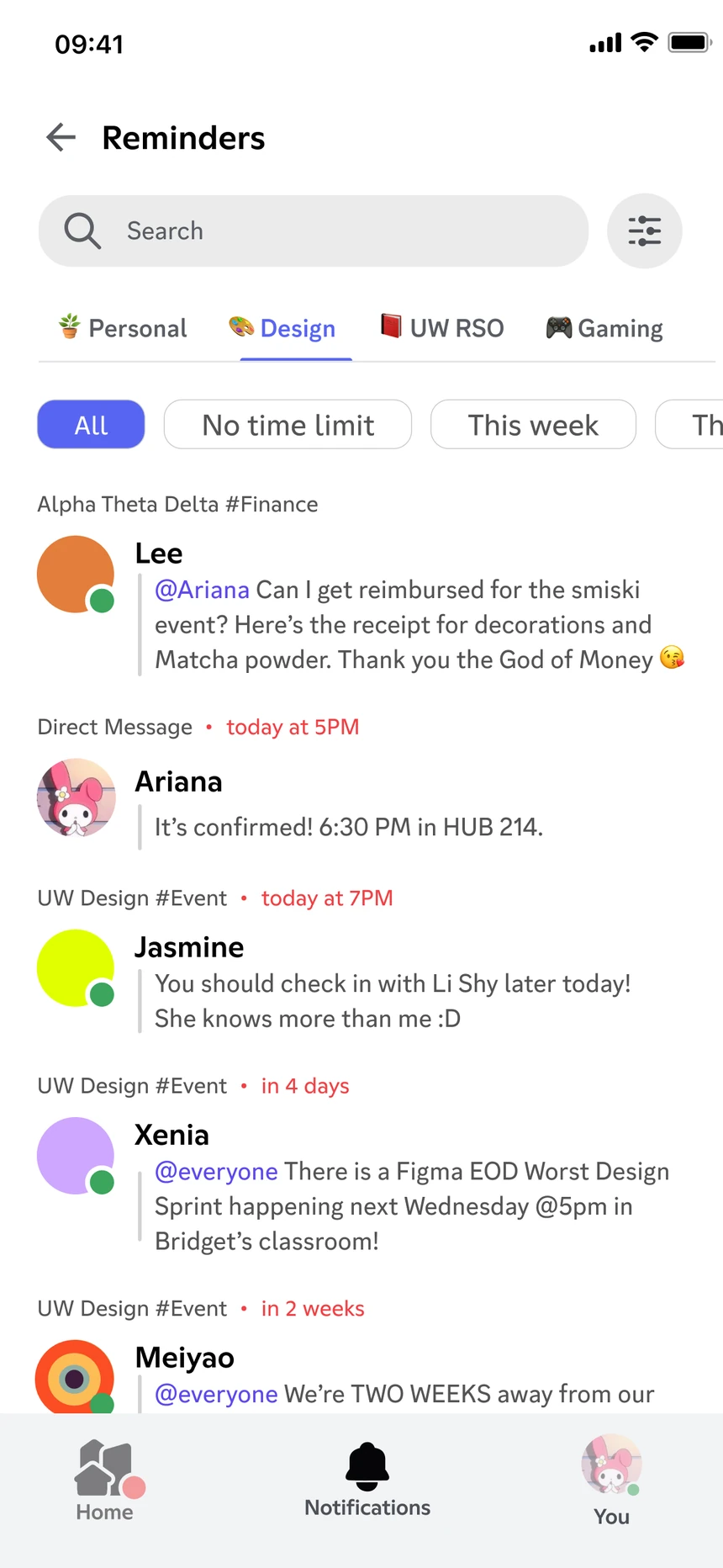
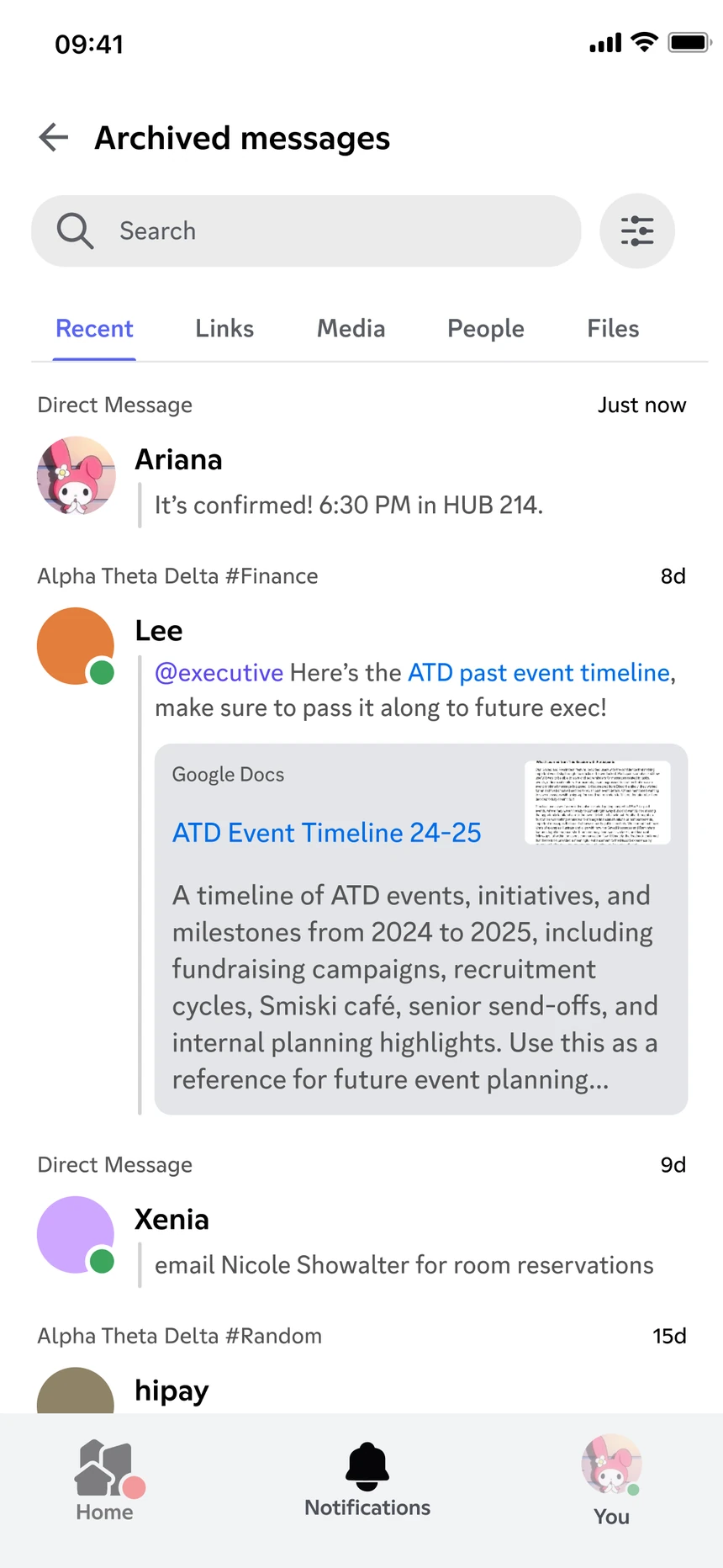
Try it · swipe a card, tap the buttons, or undo


 3 Left
UW Design
Bridget posted a poll for a weekend design meetup—8 people already voted ‘yes’. Ruby shared a Notion doc of mentorship pairings for May.

Design Friends
The president is organizing a fundraiser next month for seniors. 4 people shared their formal pictures.
ATD Fraternity
Ariana and Henry discussed the upcoming retreat. Brendon shared a summer intern opportunity in SF. May is collecting RSVPs for her CONFIG 2025 watch party.